
User Manual for IFES Online Account
This manual will help you to understand how to use your IFES Online Account.
Introduction
As a Member of IFES, you get an online account for access to the IFES site. This account lets you change the details of your Company Profile (under section MEMBERS ), change your Account Details (Name, Email, Password e.t.c), create a USER Profile or gain access to Members Only content (mostly found under section SERVICES) .
In addition to all the above, you now have the opportunity to contribute with your own content, in our new section Write your Post.
Login
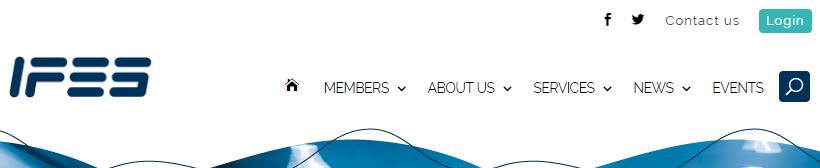
In order to access your Account, you need to login by clicking on the “Login” button on the top right corner of the IFES site.
Your User Name and Password were created by you, while applying online for Membership on the IFES site. They get activated when your subscription conludes. If you didn’t apply online, we shall sent you instructions on how to obtain an online account, upon the approval of your Membership.
If you don’t remember your password click on the “Forgot your Password” link, under the Login fields or click here ifesnet.com/password-reset. The email should be the one you used when applying for your Membership. You shall receive a password reset link to your e-mail. Please be sure to check your junk/spam folder also, as sometimes our server emails don’t go through.
If you have any difficulties reseting your password please contact our site Webmaster, Katerina Agadakou [[email protected]].
My Account – My Profile
After you have logged in you shall be able to edit your details through “My Account” link on the top right corner of the IFES website. Please note that the Username cannot be changed.
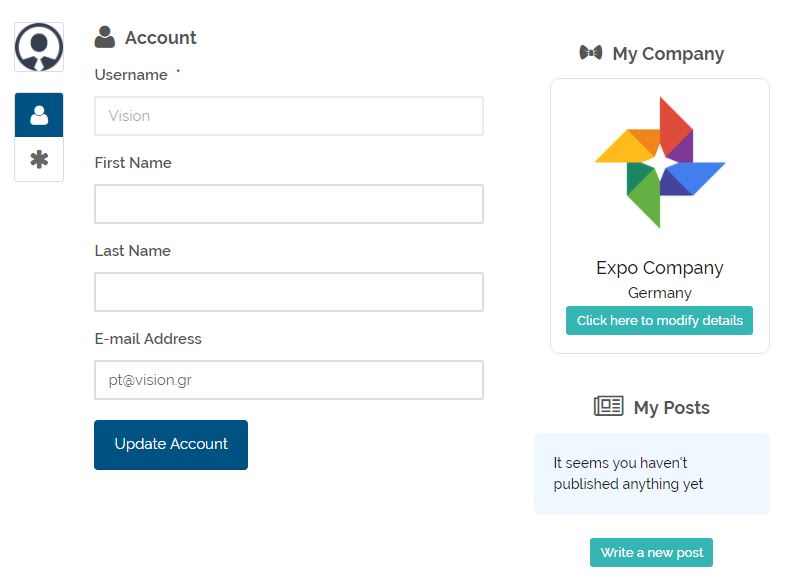 If you need to change your password you click on the asterisk on the left side of your details.
Each user, apart from their Company details as these appear under the Members Directory, also has an online User Profile, which can be found here ifesnet.com/user.
Here you may add a photo of you, a cover photo, write a few words about you and see your posts, if any. We are currently working on our online community and soon you will have access to other users profiles and be able to learn more about them, their thoughts and their work.
My Company Profile
As an IFES Member your Company is listed in our Members directory, among all other IFES Members companies. You are able to ammend your Company’s details online. Just click on the “My Company Profile” link, which is located under the “My Account” button, on the top right menu of the IFES site or visit the MEMBERS section, locate your company through the search fields and click on the red “Modify” button.
There is a form you may modify, that contains all fileds you filled in upon your registration.
Some of the fields that contain sensitive information and were submitted when applying online, are not visible on your public online Company Profile or anywhere else, publicly available and are marked accordingly in the form.
The fields that show up on your Company Details in the MEMBERS directory are your Company name and logo, your Contact person and their email address and phone, your company’s physical address and Subsidaries / Warehouses if any, your company phone, fax and email, the number of employees and the Supply and Company Service Lines your company provides. You may also have the chance to write a description of your company in the “More Info” field.
My Posts
As an IFES Member you have the opportunity to submit your own content and get it published in the “News of our Members” Section. If you wish to send us your post, login to your account and follow the “My Posts” link, which is located under the “My Account” button, on the top right menu of the IFES site.
Click on the “Write new post” link and you will be able to submit your post by filling in a title, a short summary and the body of your actual post. You are also able to insert a photo to accompany your publication.
After submitting your post, our team shall receive it, review it and publish it in the “News of our Members“ Section.
Submit a question
If you need any kind of technical support regarding your IFES online account, please use the following form and we shall get back to you with answers!